Streamlit-WebRTC
Build a complete real-time audio and video web app. Using only Python.
Add live camera and microphone input to a Streamlit app, process the media in Python, and return transformed video or audio through WebRTC. Display text, metadata, and metrics with Streamlit elements. Everything lives in one Python script, with no frontend code. Streamlit-WebRTC supplies the browser component and handles WebRTC transport.

❤️

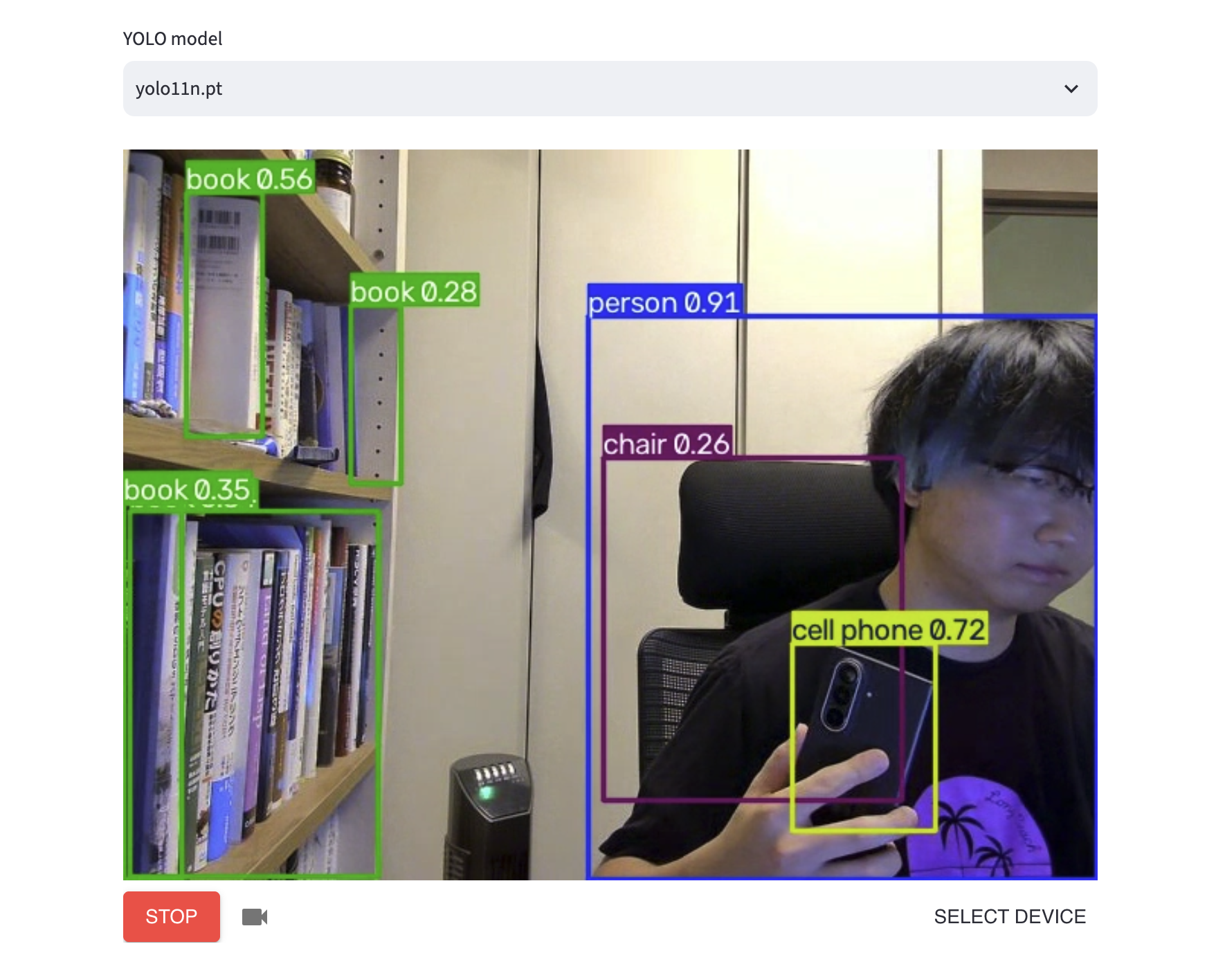
Build real-time computer vision with one callback in ~20 lines of Python
import av
import streamlit as st
from streamlit_webrtc import webrtc_streamer
from ultralytics import YOLO

model_name = st.selectbox(
    "YOLO model",
    ["yolo11n.pt", "yolo11s.pt", "yolov8n.pt"],
)

with st.spinner(f"Loading {model_name}..."):
    model = YOLO(model_name)

def process(frame: av.VideoFrame) -> av.VideoFrame:
    image = frame.to_ndarray(format="bgr24")
    result = model(image, verbose=False)[0]
    annotated = result.plot()
    return av.VideoFrame.from_ndarray(
        annotated, format="bgr24"
    )

webrtc_streamer(
    key="detection",
    video_frame_callback=process,
    media_stream_constraints={"video": True, "audio": False},
)
Start with a Streamlit app
- What is Streamlit?
A Python web UI framework for building interactive apps without frontend code.
- What is Streamlit-WebRTC?
- A custom component that plugs into an existing Streamlit app.
- Install
uv add streamlit streamlit-webrtc- Run
uv run streamlit run app.py
How Python reaches the browser in real time
Turn Python models into user-facing apps without adding a second language or implementing WebRTC. Streamlit-WebRTC provides three media roles: sinks consume input for Streamlit outputs, filters transform and return media, and sources generate media. Compose them independently for audio and video.
Build apps by composing video and audio inputs, processing, and outputs
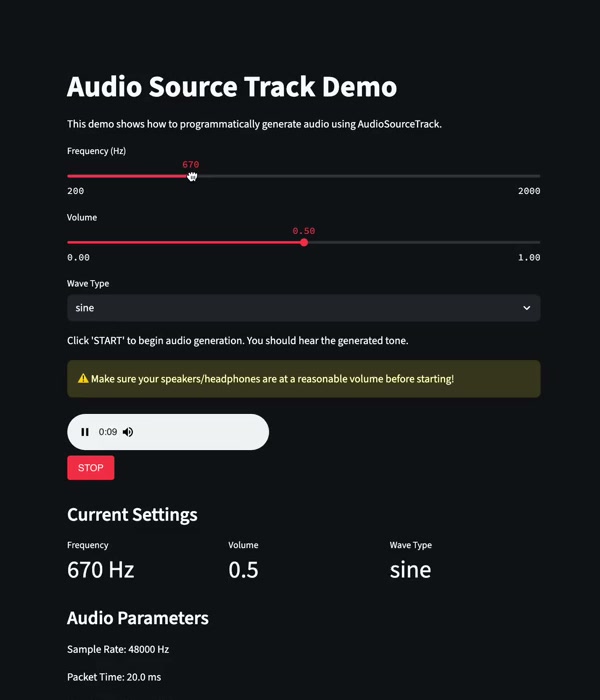
Generate audio in Python
Create audio programmatically and publish it as a live track.
Yuichiro@whitphx · Jun 2025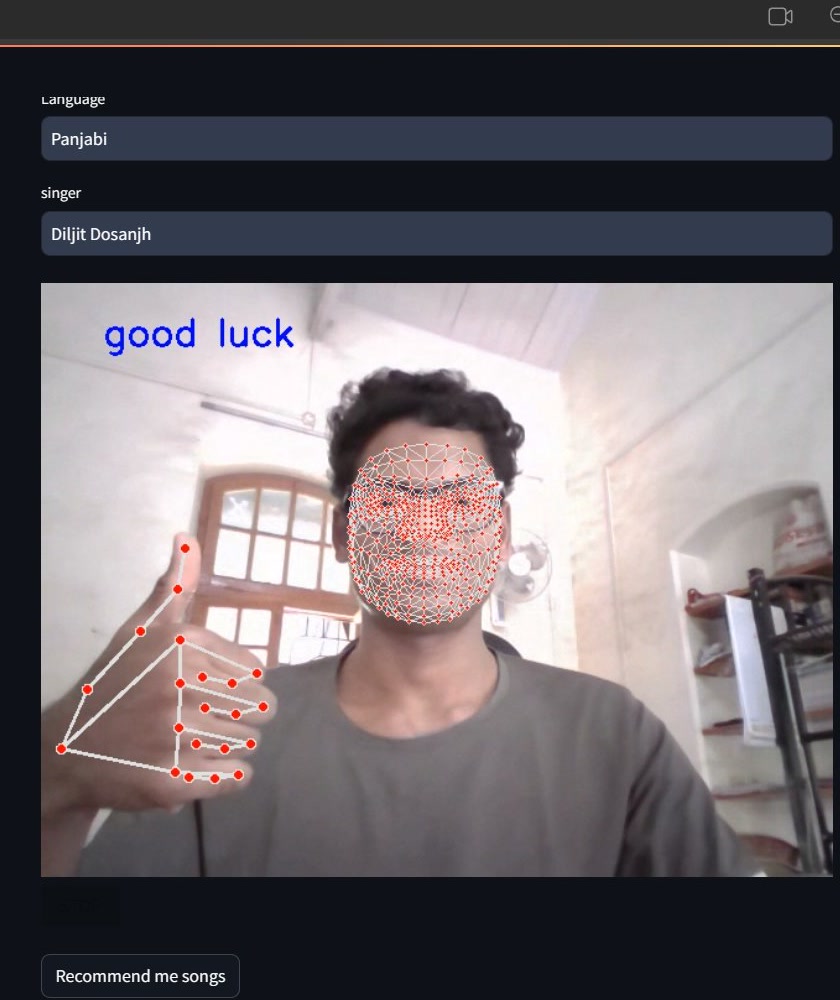
Emotion-based music recommendation
Read face and hand landmarks, classify emotion, and recommend music.
Pavankumar Mhaske@P1kumarMhaske · May 2024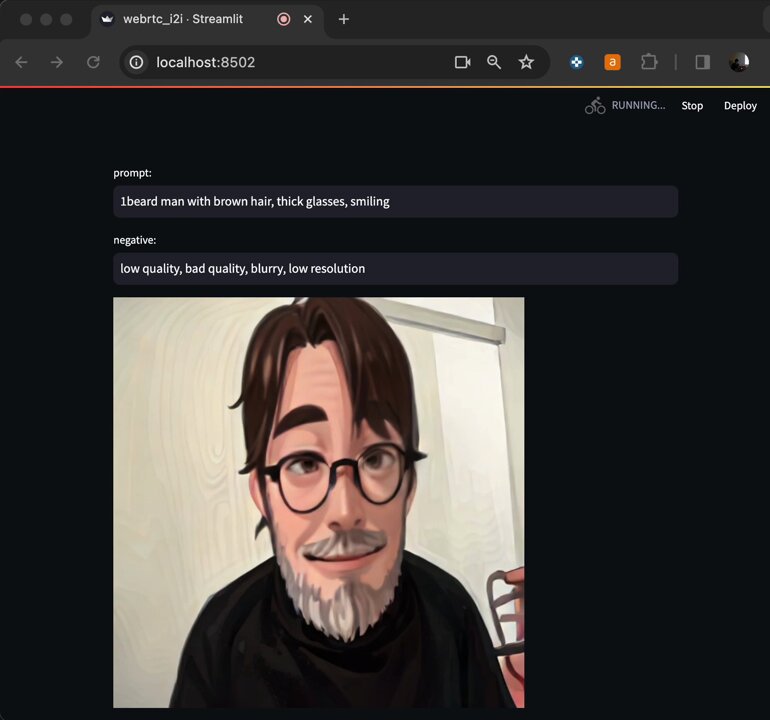
StreamDiffusion camera
Transform a live camera feed with StreamDiffusion and TensorRT.
Naoto Nakai@NuCode · Dec 2023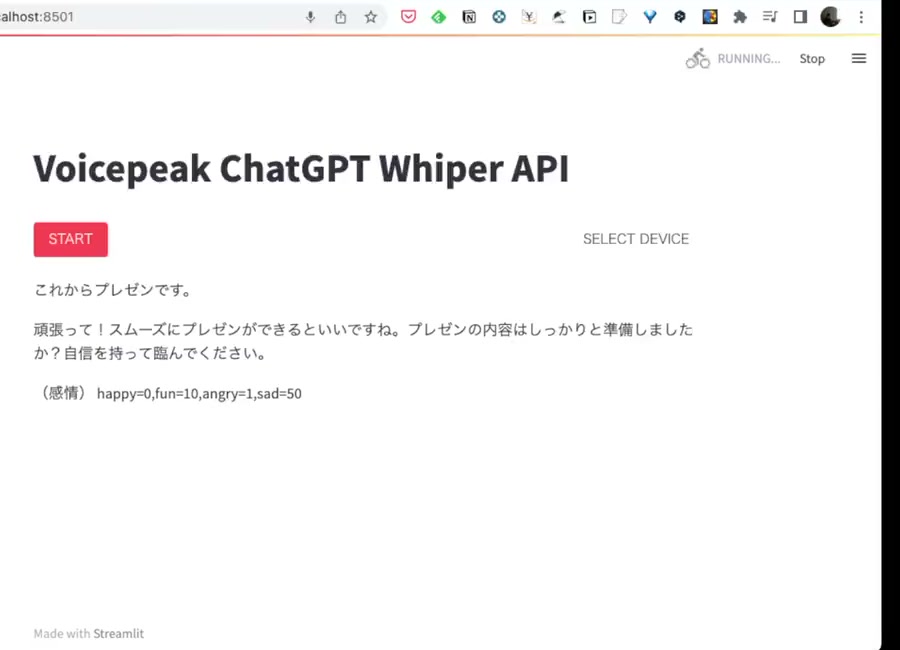
Voice conversation with ChatGPT
Transcribe microphone input and generate emotion-aware responses.
Naoto Nakai@NuCode · Mar 2023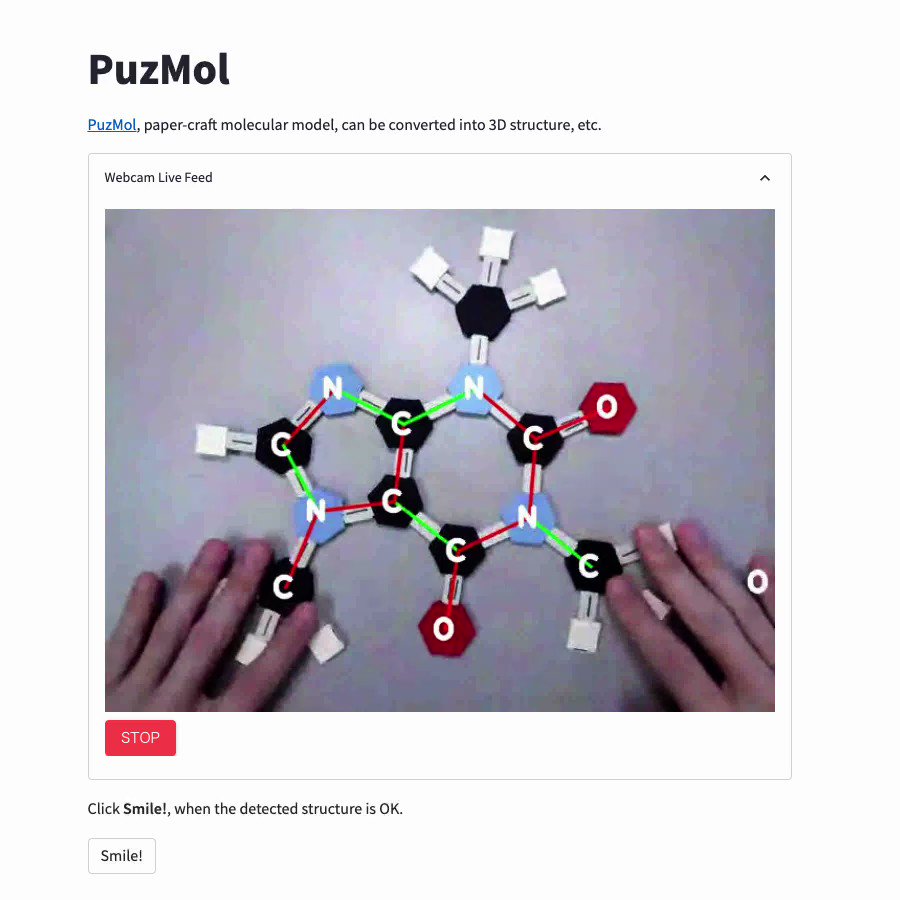
Turn paper molecular models into 3D
Recognize a paper model, then show its 3D form and chemical properties.
Nori Yamamoto@yamnor · Aug 2022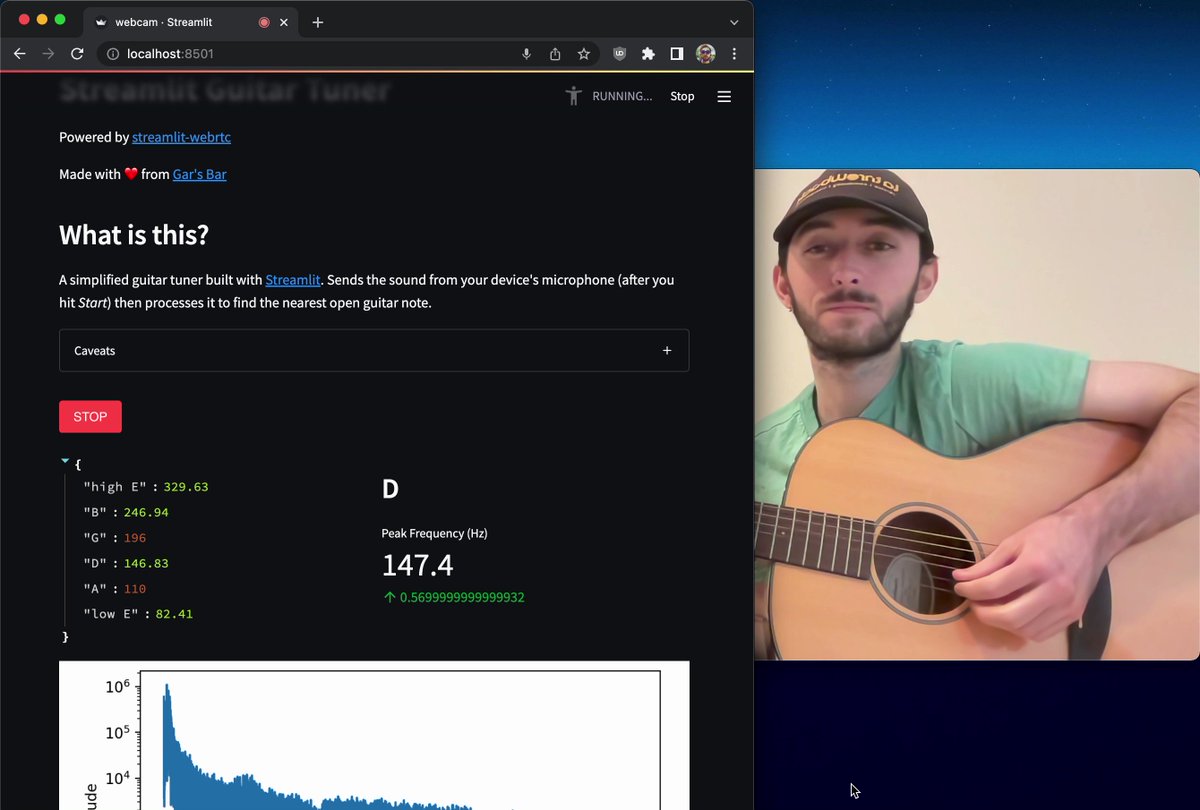
Guitar tuner
Estimate pitch from live microphone audio and show the closest note.
@gar@gerardbentley.com@GarsBar35Plus · Mar 2022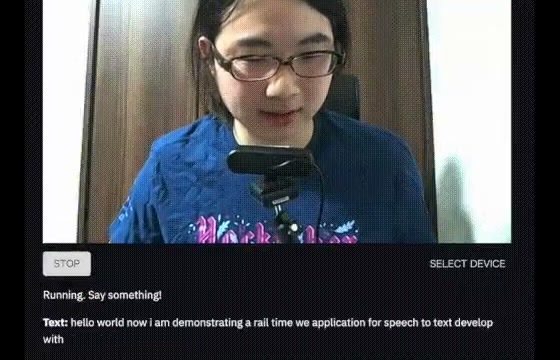
Real-time speech-to-text without an external API
Stream microphone audio to a local speech recognizer and update the transcript.
Yuichiro@whitphx · May 2021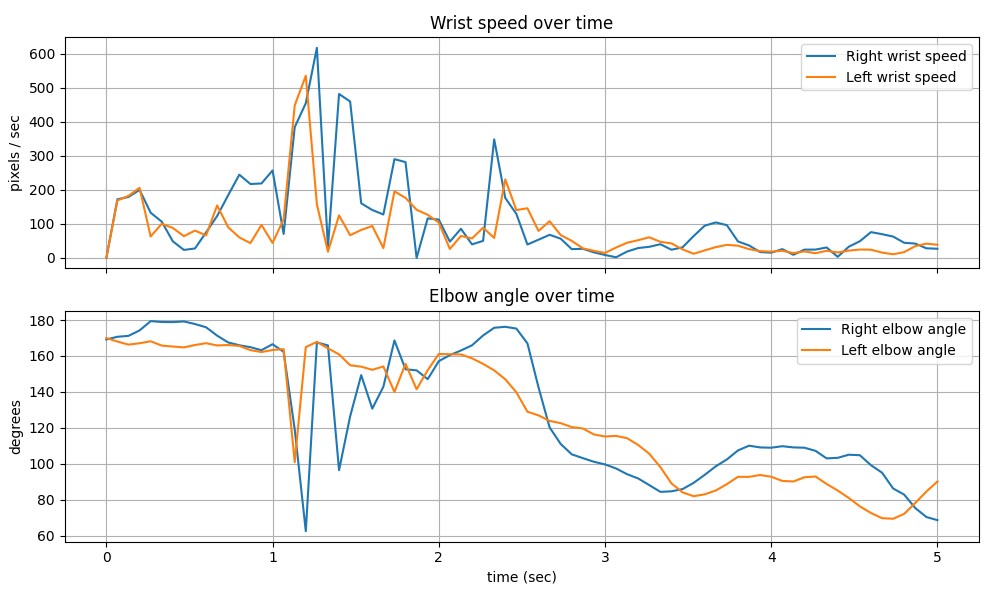
Real-time eating-pace feedback
Detect bites from webcam landmarks and report pace and session statistics.
Aktham MomaniStreamlit Forum · Feb 2026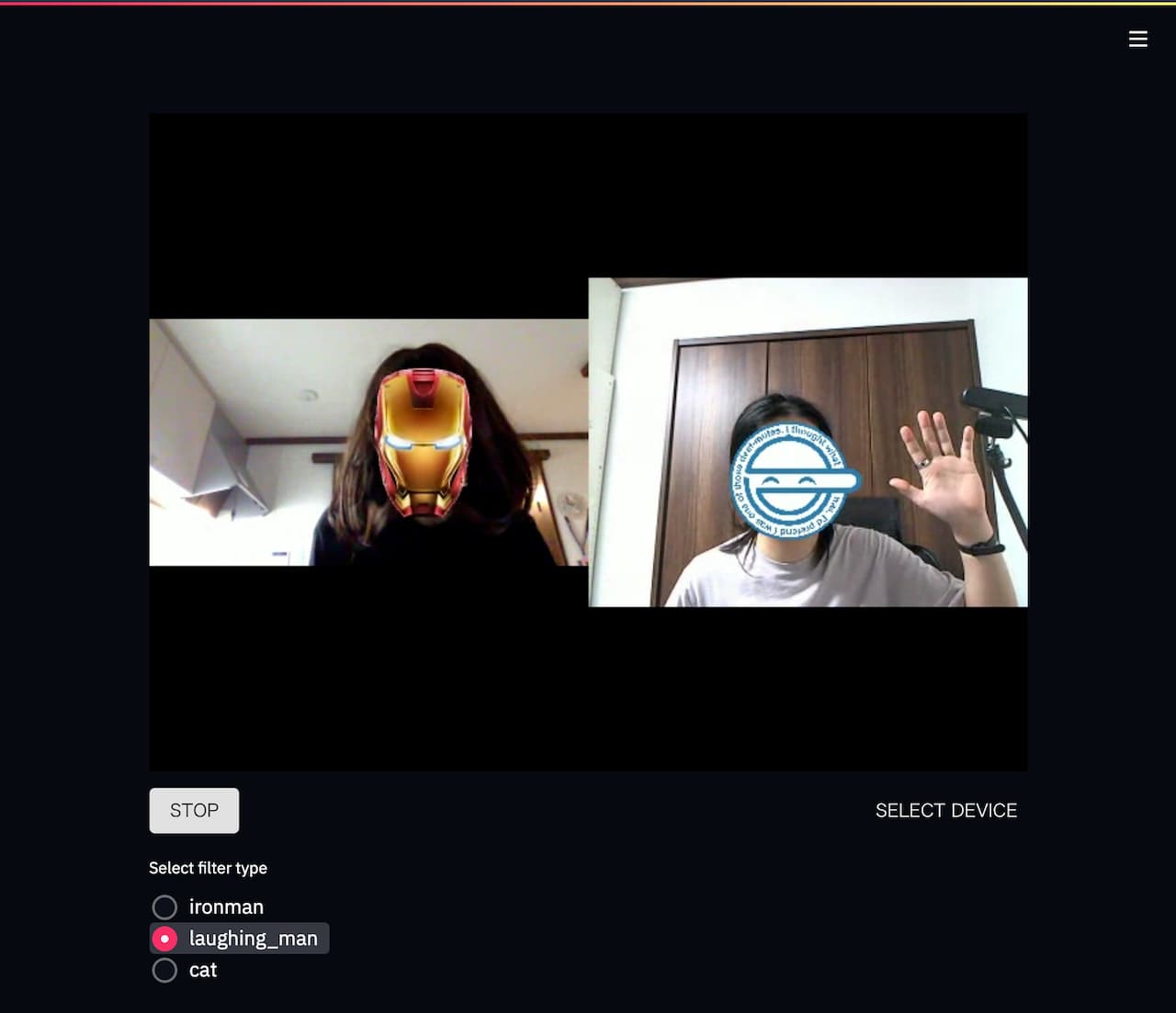
Multi-party video chat
Route peers separately or combine video into one view, with face filters before delivery.
Yuichiro TachibanaGitHub repository · Jul 2021